Moving, cancelling, and marking “Arrived” or “No-show”
What to do with an appointment: approve a pending one, move it to another day, time or staff member, cancel it, and mark whether the client came — they’re updated on WhatsApp.
Every appointment has a status: awaiting confirmation, confirmed, completed, cancelled or no-show. You change it from the appointment’s details, and the client gets a WhatsApp message when it concerns them — an approval, a move or a cancellation.
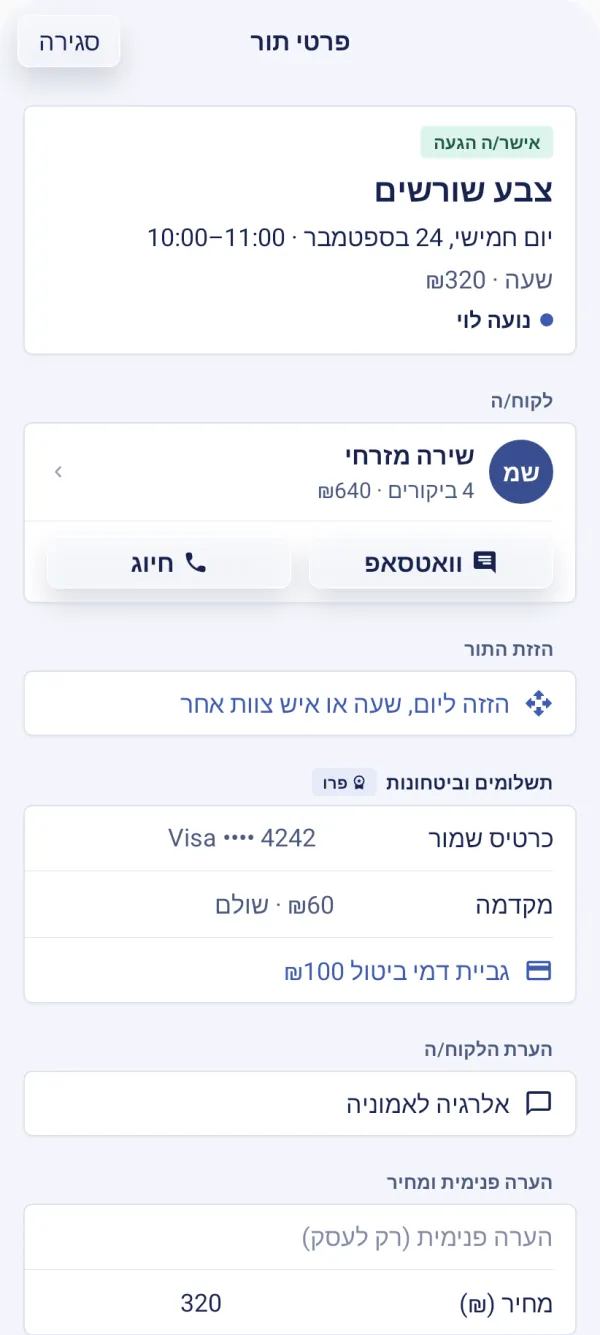
In the “Calendar” tab, tap the appointment — “Appointment details” opens.
CalendarUnder “Update status”: confirm a pending appointment, and once it has started, choose “Arrived — completed” or “No-show”.
Under “Move appointment”, tap the option to move it to another day, time or staff member, pick the new time and tap “Move appointment”.
To cancel: “Cancel appointment”.
A long press on an appointment opens quick actions — confirm, arrived, no-show, move, WhatsApp, call and cancel — without opening the details.
Cancelling an appointment
When cancelling you can write a reason — it goes to the client with the WhatsApp cancellation message — and the time frees up in the calendar. If the client paid a deposit, the owner and managers choose whether to refund it. When the cancellation is past your policy’s deadline and there’s a cancellation fee, you’re asked “Did the client ask to cancel?”: only then can a late-cancellation fee be charged later — never when the business cancels for its own reasons.
Arrived, no-show, and corrections
A confirmed appointment is marked completed by itself a few hours after it ends, so you don’t have to mark every visit. You mark “No-show” yourself, and it’s counted on the client card. Made a mistake? For a week after the appointment you can switch between “Arrived” and “No-show” (on the phone, under “Correct attendance”); after that the status is final.
Marking “Arrived” on an appointment that was charged a no-show fee refunds it to the client. A cancelled appointment whose time hasn’t passed can be brought back with “Restore appointment”, and the client gets a new confirmation.
The guided tour is in the app
In the “Calendar” chapter, the tour shows this on the screen itself, step by step.
Does the client get a message when I move the appointment?
Yes — a WhatsApp update with the new time.
Why is there no “Arrived” button?
It appears only once the appointment has started. A future appointment can be confirmed, moved or cancelled.
Where can I see cancelled appointments?
They’re hidden in the calendar. On a computer, turn on “Show cancelled appointments” above the calendar; on the phone, “Show cancellations” in the options button.
Updated: 10 October 2026
Related guides
- The calendar: day, week and a column per staff memberReading and getting around the calendar: day, week and list views on a computer, the week strip and a column per staff member on the phone, staff filters, and what the marks mean.
- Cancellation policy and clients cancelling themselvesHow late clients can cancel or move an appointment themselves, the cancellation policy they see, and what happens when one cancels: an alert, a deposit refund, a waitlist offer.
- Booking an appointment for a client from the calendarA client called or messaged? Book them straight from the calendar — an existing or new client, a service, a staff member and a time — and they get a confirmation on WhatsApp.
- The client card: history, notes and photosEverything about a client in one place: appointments and visits, revenue and no-shows, private notes, before-and-after photos, forms and punch cards — and search, sorting, tags.
Did this guide help?
Still have a question? Write to us